

Let’s be honest: these days we are lost without our phones, especially when we travel. But researching the best international SIM card and setting up an international phone plan or international data plan for your phone can be a real pain in the butt. Which is why I was keen to try out the TravelSim card when it was offered to me to review. The short story (long one to follow) is that I would very much recommend their international SIM card or eSIM card for your phone. Because TravelSim definitely helped to SIMplify the whole process to make my phone travel-ready. Here are 8 reasons why:
1. TravelSim is simply way cheaper than Canadian roaming fees
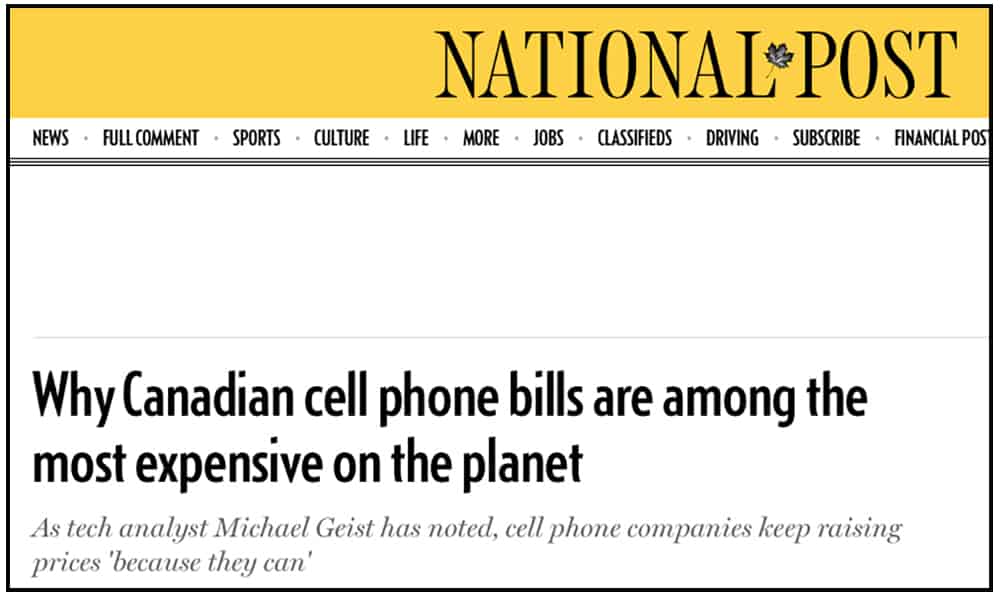
Canadians have little choice when it comes to cellphone companies, and Bell, Telus and Rogers all charge expensive flat-rate amounts per day for their international roaming plans. That can get EXPENSIVE, pure and simple (and no surprise that there’s little or no price competition between these big 3 companies! grrrr.) Worse yet, those ‘roam like home’ plans don’t give you any additional data, they just charge you that fee to use up your existing plan’s data from afar. Sure, these carriers ‘cap’ the maximum monthly fees they will charge you, but that maximum amount can be over $100 – well over, in some cases. Which will be a very unwelcome surprise on your next bill once you return home. Ouch.
So unless you are on your phone 24/7 because your company is paying for an international phone plan, there are much better, more affordable options for you with TravelSim.
2. TravelSim offers flexible international data plans and international phone plans
TravelSim is a lot more flexible than flat-rate roaming fees from your home carrier. You basically just purchase a TravelSim card for a specified amount ($10 as of 2026) which will be shipped directly to you. Or you can choose a digital eSIM which will be provided to you online in an email with instructions on how to download and activate. Both options are easy to customize, based on which countries you are going to, how long you are going for, and whether you want data, calling and texting, or any or all of the above.
TIP #1: On the TravelSim website, you can set your language (there are 6 to choose from) and currency (there are 5 popular currencies) so that all the rates and offers appear in your own money.
TIP #2: Shipping of your physical SIM card is free if your order is over $55 USD. And be sure to allow at least a full week for it to arrive before you need to leave.
3. Free incoming calls and texts with any TravelSim international phone plan
You can choose a TravelSim phone/text/data plan that starts as low as $10 which allows you to make outgoing calls, text and surf the net. This won’t get you too much airtime or surfing time, but it does have one advantage: even with this smallest $10 package from TravelSim, any incoming phone calls or text messages are absolutely FREE. Which means if someone has to contact YOU, it won’t cost YOU anything and they have a way to reach you anywhere, anytime. That’s $10 well spent to ensure peace of mind.
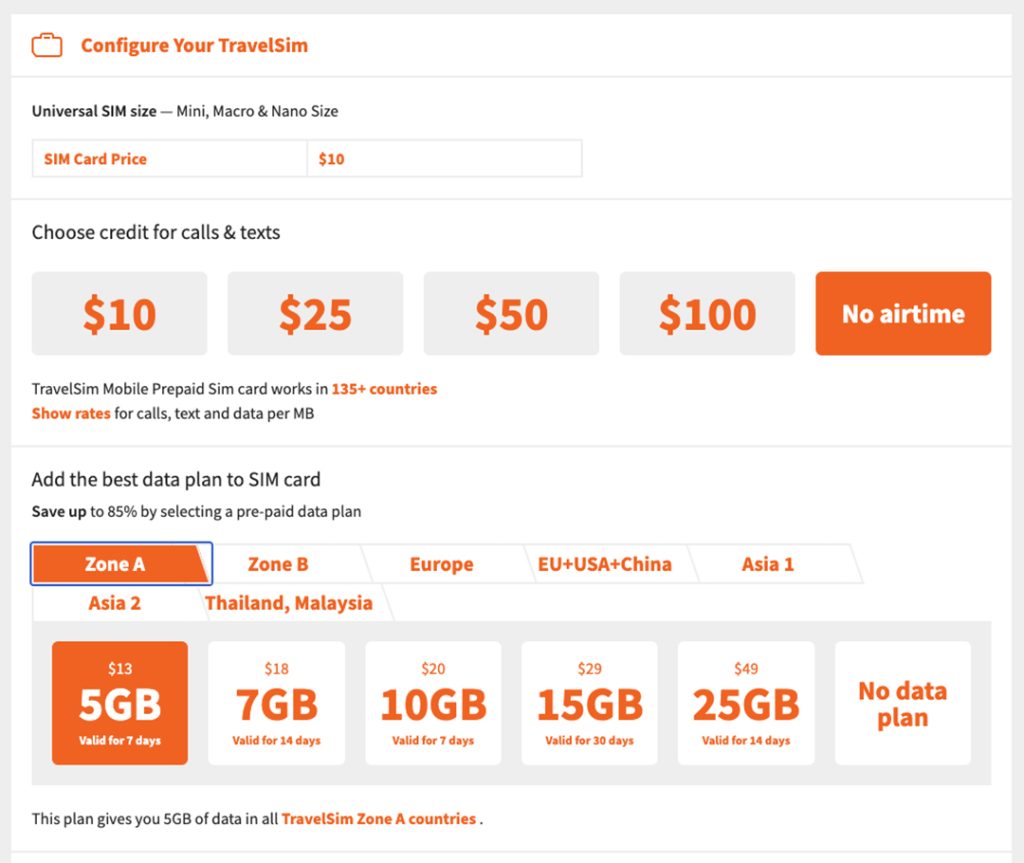
Screenshot
TIP #1: Although airtime plans offer you discounted rates on outgoing phone calls and texts (ie. .XX cents/minute from Germany to Canada, and .XX cents for texts), you will pay PER TEXT every time you send one, so avoid sending small texts like “Hi.” and use your text messages wisely.
TIP #2: Any unused airtime credit you purchase stays valid in your account for 1 year so you will have it there if you travel again.
4. TravelSim data plans are organized by destination
If you don’t need phone or text options and all you want is internet access on your phone, you can choose an international data plan only and TravelSim makes it easier to choose one based on where you are going and for how long.
Here’s an example: if you are traveling to multiple countries around the world and just want internet access, you can choose Zone A (in the image above) and for $13 you will receive 5 GB of data valid for 7 days. (Of course you can also choose much more data and a longer time.) But if you are only going to Europe, you can save money, since a 5GB plan for this set of countries only costs $7. So be sure to look at all the different destination data packages to see which of the TravelSim data plans plans works best for where you are going and for how long you need it.
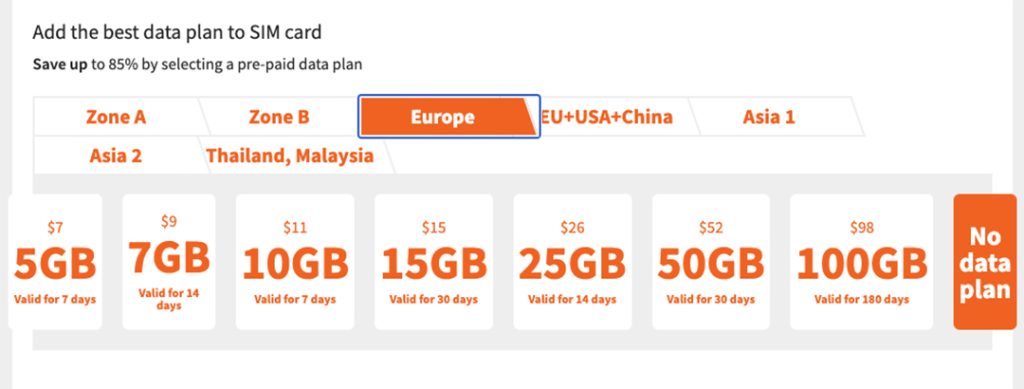
TIP: You can purchase Airtime or Data only with TravelSim, but purchasing a combination of airtime and data does have some advantages as it gives you better rates on phone calls. You can also choose what fits your lifestyle best: maybe you need less airtime and more data if you really need internet access, or the reverse, if you need to have more airtime for calling and texting out.
5. A prepaid international SIM card from TravelSim is easier than buying a local card
A lot of travellers recommend buying a local SIM card when you arrive in your destination country, and this can definitely be one of the cheapest ways to set up your phone in another country.
However, it comes with some downsides: for example, we purchased a local SIM card after arriving in Portugal, but it was a little tricky to activate AND we didn’t speak Portuguese to call the phone company or read the instructions. We were lucky that we had someone local who helped us, but you can’t depend on that!

Plus we had NO IDEA what our “Portuguese” phone number would be until we purchased our SIM card. Which meant we couldn’t give our ‘new’ number to anyone before we left home. And we didn’t know exactly which countries were included for roaming.
6. You know your ‘new’ TravelSim phone number BEFORE you leave. (think ‘Uber’!)
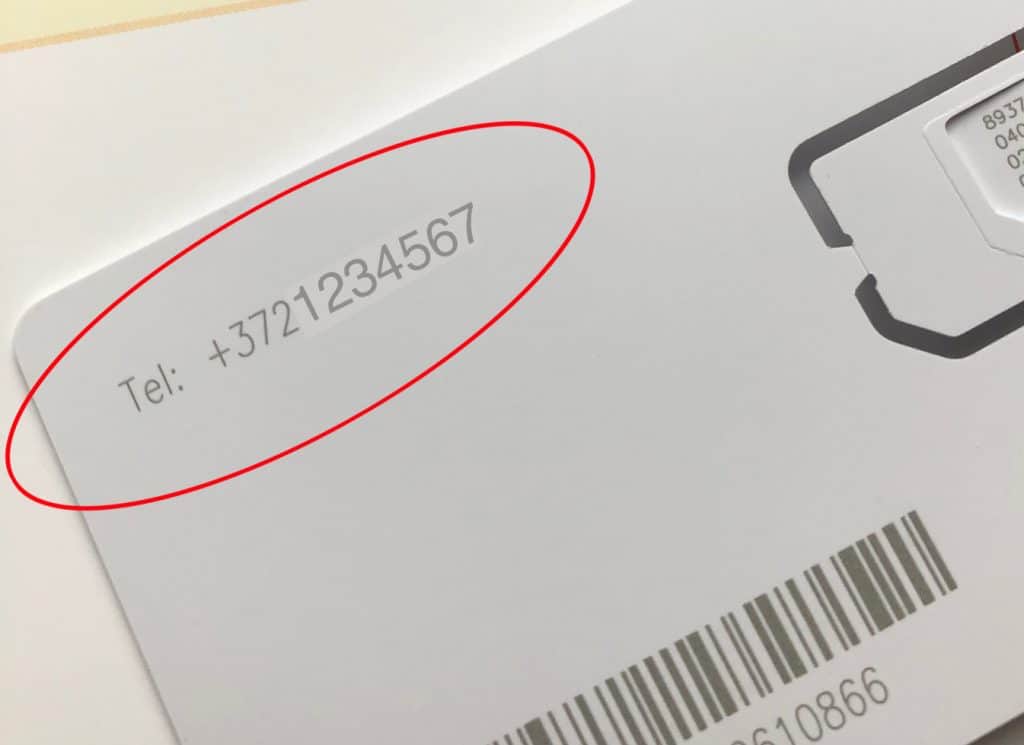
The best part about TravelSim is that you get your international phone number BEFORE you leave your own country, along with your SIM card. So you can let people know how to reach you before you leave home (and remember your incoming calls are FREE).
Uber, Bolt and services that need your phone number: If you want to use any services or apps that need your phone number in order to activate, you can set this up before you leave. Same goes for flight alerts that want to send delays or cancellations to your phone!
TIP: Your international phone number may be based in a country like Estonia, for example, so be sure to give out the complete number – the first few digits of your number are the country code needed for international dialling.
7. It’s easy to add more data or airtime – in English
If you find you’ve been calling or surfing more than you originally planned while away, no problem. You just go into your TravelSim online account and purchase more credit from wherever you may be. And since this is all done on an English website, you’re not struggling with a local phone company whose language you may not speak.
TIP: Be sure to know/bring your online account information (email and password) with you so you can log in wherever you are.
8. Your phone works exactly like it does at home.
Once you’ve received your TravelSim card and are ready to travel, activate your date or airtime plan online, install the SIM card in your phone and you are good to go. You can do what you always do: surf the net, post photos to social media, text, make phone calls, etc, and all your apps, notes, contacts, etc, are with you – because this is your phone!

TravelSim makes your phone travel-ready
It’s a reality: travelling these days is just easier with your phone. Whether we use our smart phone to translate menus, keep in touch back home, make reservations on the fly, or just navigate when we are lost, it’s a necessary part of our travel gear. Which is why Henk and I wanted were curious to see if TravelSim was the best international SIM card for us. What we found was that the rates were affordable, and the setup was convenient. Which means we’ll happily be using our TravelSim prepaid international SIM card again in the future.
MORE TIPS:
UNLOCKED PHONES: In order to use any SIM card other than the one that came with your phone, you need to make sure your phone is ‘unlocked’. Contact your carrier to make sure your phone is unlocked, or have them unlock it (this should be no cost to you), but allow a day to get that sorted just in case.
USE WIFI WHENEVER YOU CAN: Even with a reasonably-priced data package from TravelSim, it’s always a good idea to use local wifi wherever you are, because this means you won’t be tapping into your own data plan, and your megabytes will go further. Many hotels around the world offer free wifi as a matter of course, so take advantage of that convenient perk whenever you can.
YOU’LL RECEIVE ALERTS: If you choose a TravelSim plan that covers multiple countries, be prepared that your phone may notify you by text message that your plan is ‘activated’ whenever you cross into a different country, so don’t freak out. All it means is you’ve moved into another region. You’re still covered as long as that country is part of your plan.
CHECK FOR TRAVELSIM OFFERS: TravelSim has offers on their website all the time, so definitely look at those before deciding on a plan.
Special thanks to TravelSim who provided Henk and I with a pre-loaded SIM card to try for ourselves for our review. But all opinions and recommendations are our own.

Jane is an award-winning travel writer and photographer and an accredited member of the Travel Media Association of Canada (TMAC). In their annual awards competition, TMAC named GrownupTravels.com as the Best Self-Published Travel Blog in 2025 .
She is also a member of the North American Travel Journalists Association, and a freelance travel writer contributing to both print and online publications.






Very informative and good to know, especially for the home contact to know that their traveler can be reached, if need be.
I agree, it was one of the biggest advantages of the TravelSim card: knowing the number to leave with others before we even left. Plus it meant I could set up our Bolt and Uber accounts so that when we used those services, they had our international phone number attached to them so they could reach us as well.